Chord Analyzer — User Manual
What is the Chord Analyzer?
The Mazmazika Chord Analyzer listens to any song and works out its chords for you — automatically. Paste a YouTube or SoundCloud link (or upload your own audio) and you get an interactive play-along page: a synced chord timeline that follows the music, chord diagrams for guitar, ukulele and piano, practice tools like tempo, transpose, capo and loop, a built-in vocal-remover mixer, and a printable chord sheet. It's built for learning songs, transcribing, studying harmony, and songwriting.
Who can use it
- Guests can open the page, but you'll be asked to log in to run an analysis.
- Free accounts get a limited number of analyses per day (the bar at the top shows your plan and what's left).
- Pro subscribers get unlimited analyses, plus a saved My Files history.
The Chord Analyzer at a glance
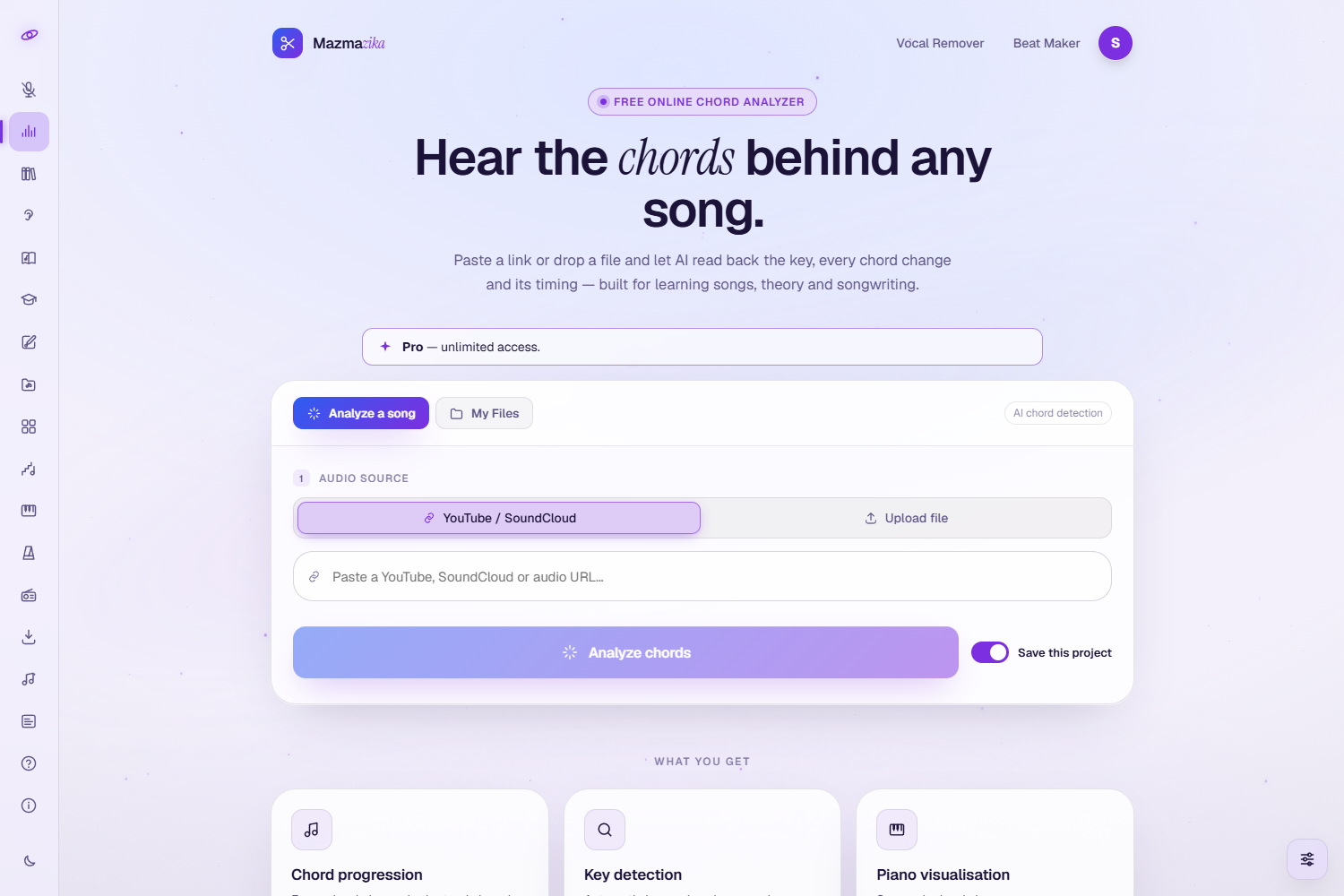
Open it from the sidebar (or Audio Tools → Chord Analyzer). When you're logged in there are two tabs — Analyze a song (start a new analysis) and My Files (your saved analyses) — plus a bar showing your plan and remaining daily uses.
Step 1 — Choose your audio
On the Analyze a song tab, pick your audio source:
- YouTube / SoundCloud URL — paste the song link.
- Upload file — choose an MP3, WAV or M4A from your device (up to 30 MB; drag-and-drop works too).
Leave Save this project on if you want the analysis kept in My Files for later — turn it off for a one-off look.
Step 2 — Analyze
Click Analyze chords. The analyzer fetches the audio (for links) and detects the chords — typically 20–45 seconds for a 3-minute song, shown on a progress ring. When it's done, your interactive play-along page opens automatically. During busy times your request may briefly queue; just leave the page open.
Reading your results
The result is a full play-along page that turns the song into a synced, playable chord chart.
What you see
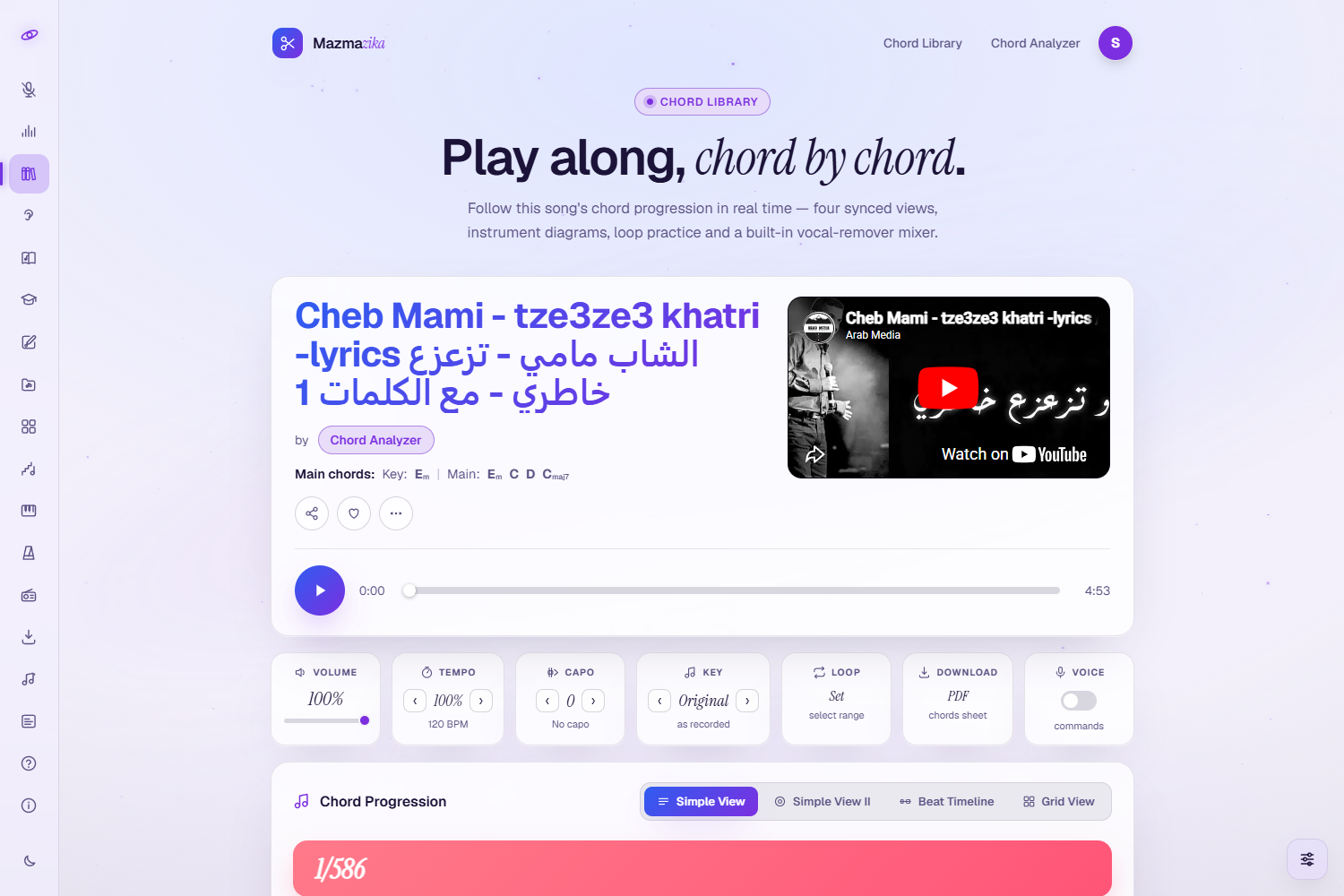
- Song header — the song title and the main chords / key detected.
- Synced player — press play and the chord progression follows the music, highlighting the current chord in real time (with the original YouTube video alongside, when available).
- Chord progression — every chord with its place in the song, shown four ways: Simple View, Simple View II, Beat Timeline and Grid View — pick whichever suits how you read.
- Chord diagrams — see how to play each chord on Guitar, Ukulele or Piano. The Overview tab lists every shape at a glance, and Edit lets you correct a chord if you spot one that's off.
Practice controls
- Tempo — slow the song down (without changing pitch) to study tricky passages.
- Key / Transpose — shift the chords to a key that suits your voice or instrument.
- Capo — get capo-friendly chord shapes.
- Loop — repeat a section while you practise.
- Vocal-remover mixer — a built-in stem mixer to dial vocals or instruments up and down so you can play along with just the parts you want.
Download your chords
Use Download for a clean, printable PDF chord sheet — ready for practice or performance.
My Files — your saved analyses
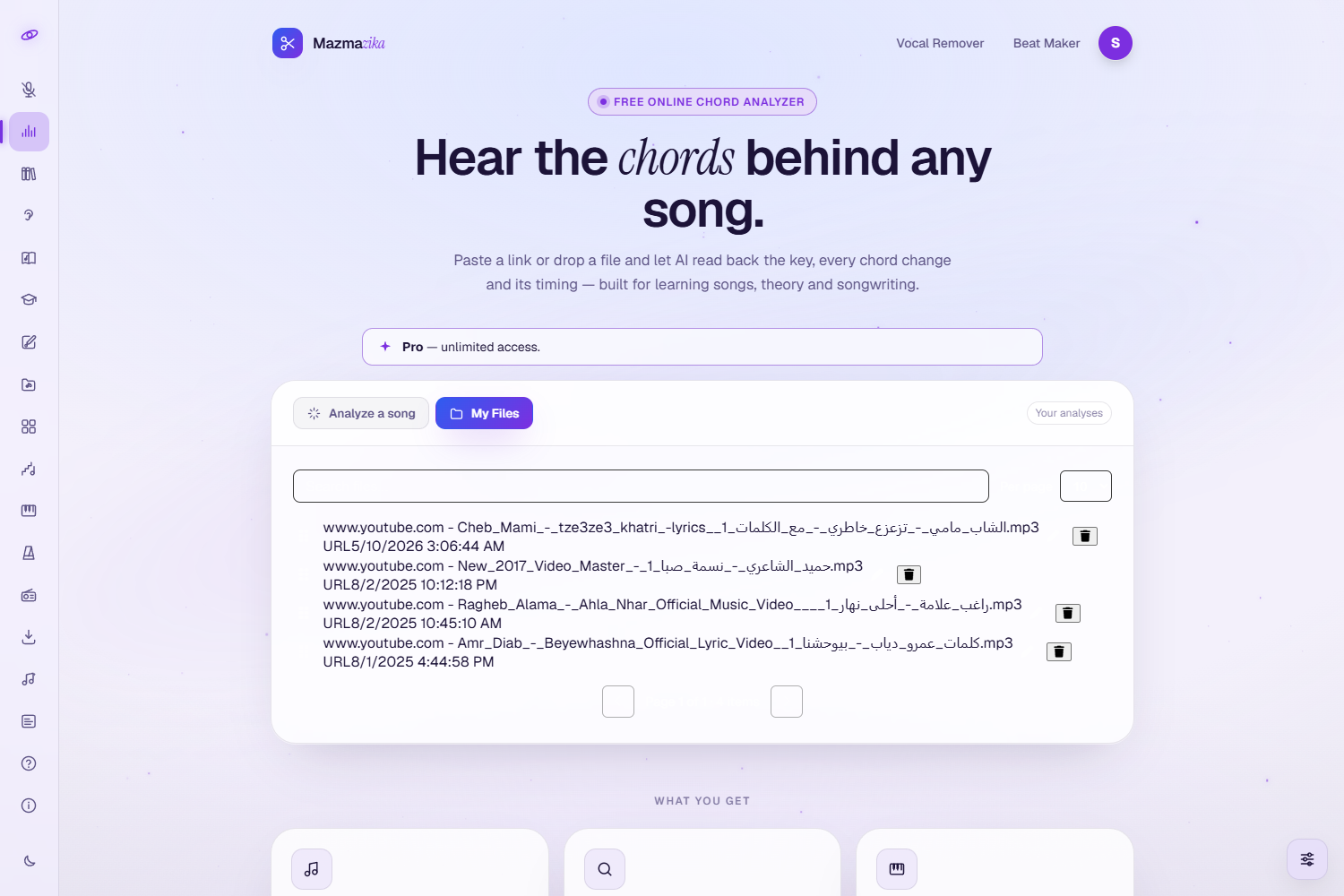
When you're logged in, every saved analysis appears under the My Files tab. From there you can reopen a song instantly (no re-analysis), rename it, and delete ones you no longer need.
Supported formats & limits
| Input sources | YouTube links, SoundCloud links, MP3, WAV, M4A |
| Maximum upload size | 30 MB |
| Maximum song length | 10 minutes |
| Output | Interactive play-along page (4 chord views + diagrams) + printable PDF |
| Chords detected | Major, minor, dominant 7th, major 7th, minor 7th, diminished, augmented, and more |
| Typical analysis time | About 20–45 seconds for a 3-minute song |
Tips for the best results
- Use clear studio recordings. Heavy reverb, distortion, or very dense mixes reduce accuracy.
- Guitar- and piano-led songs work best — the detector is tuned for tonal, harmonic instruments.
- Fix the odd chord with Edit — the analysis is a fast starting point; the Edit tab lets you correct anything you hear differently.
- Use Tempo and Loop to confirm tricky sections by ear for a polished transcription.
Troubleshooting
- "Please log in." You need an account to analyze — sign in and try again.
- Daily limit reached. Free accounts get a set number of analyses per day; come back tomorrow or upgrade to Pro for unlimited use.
- Analysis won't start. Check the link is a valid YouTube/SoundCloud URL and the track is under 10 minutes, or that your file is MP3/WAV/M4A and under 30 MB.
- The chords don't quite match. Try a cleaner version of the song, use the Edit tab to fix individual chords, and verify by ear with Tempo/Loop.
Related tools
Want chords without any waiting? Browse the Chords Library of pre-analyzed songs. Want to practise with isolated parts on their own? Send the song to the Vocal Remover to split it into stems.