Music Generator — User Manual
What is the Music Generator?
The Mazmazika Music Generator creates an original, royalty-free track for you from a single choice: pick a genre or mood and it generates a piece in that style, ready to play and download in seconds. It's perfect for backing tracks, videos, podcasts, games, or just exploring ideas — no instruments, no editing, nothing to install.
Before you start
- You need an account. Log in (or register) before generating — guests are sent to the sign-in page.
- It's a Pro feature. Generating is part of a paid plan. The bar at the top shows your plan (or prompts you to upgrade); unlimited access shows when your subscription is active.
Generating a track
Open the Music Generator from the sidebar. On the Generate tab:
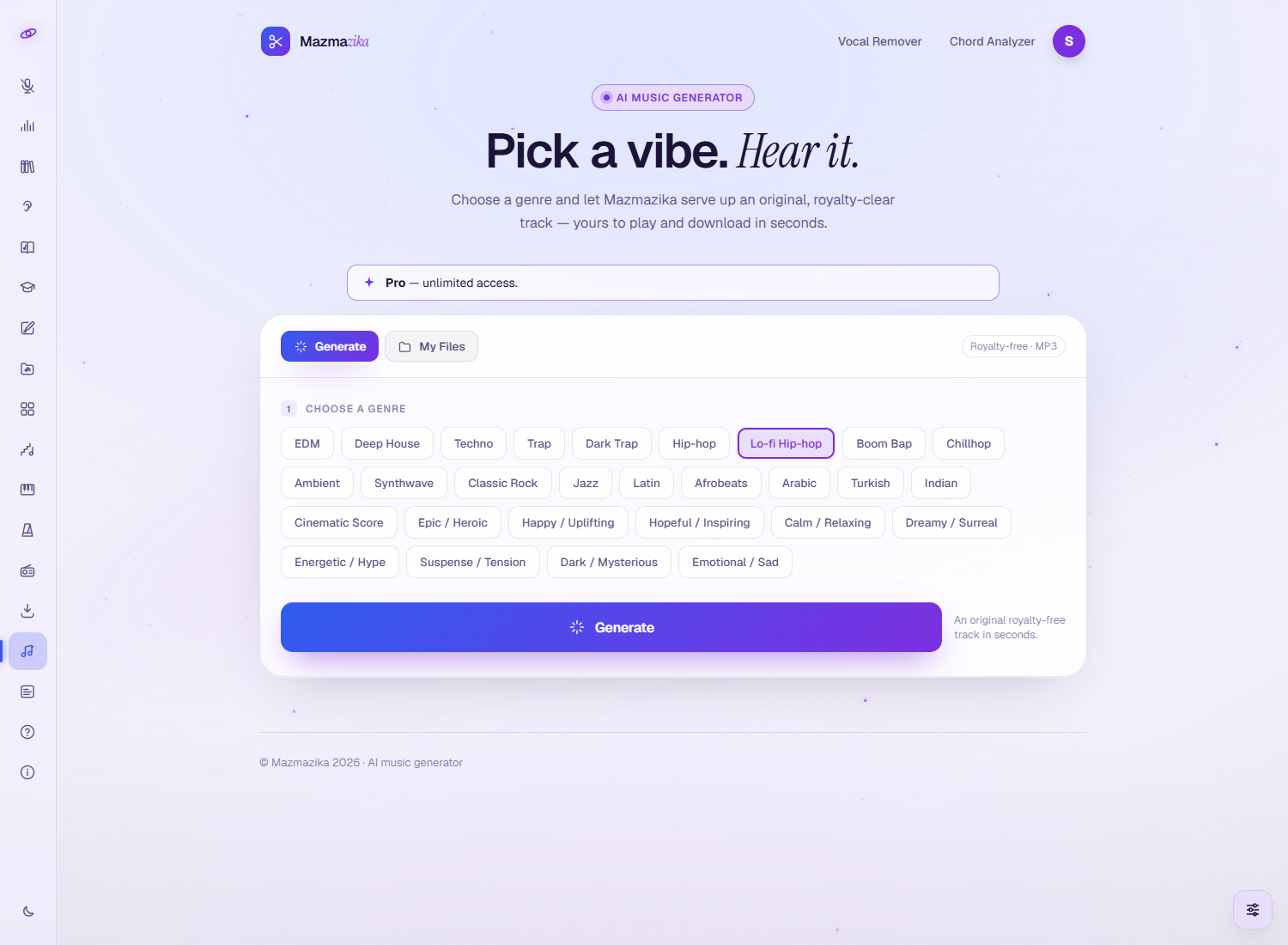
- Choose a genre or mood — tap one of the pills (see the full list below).
- Click Generate.
- Wait a few seconds while your track is created — a progress ring shows the work.
Your track
When it's ready, your new track appears in a player:
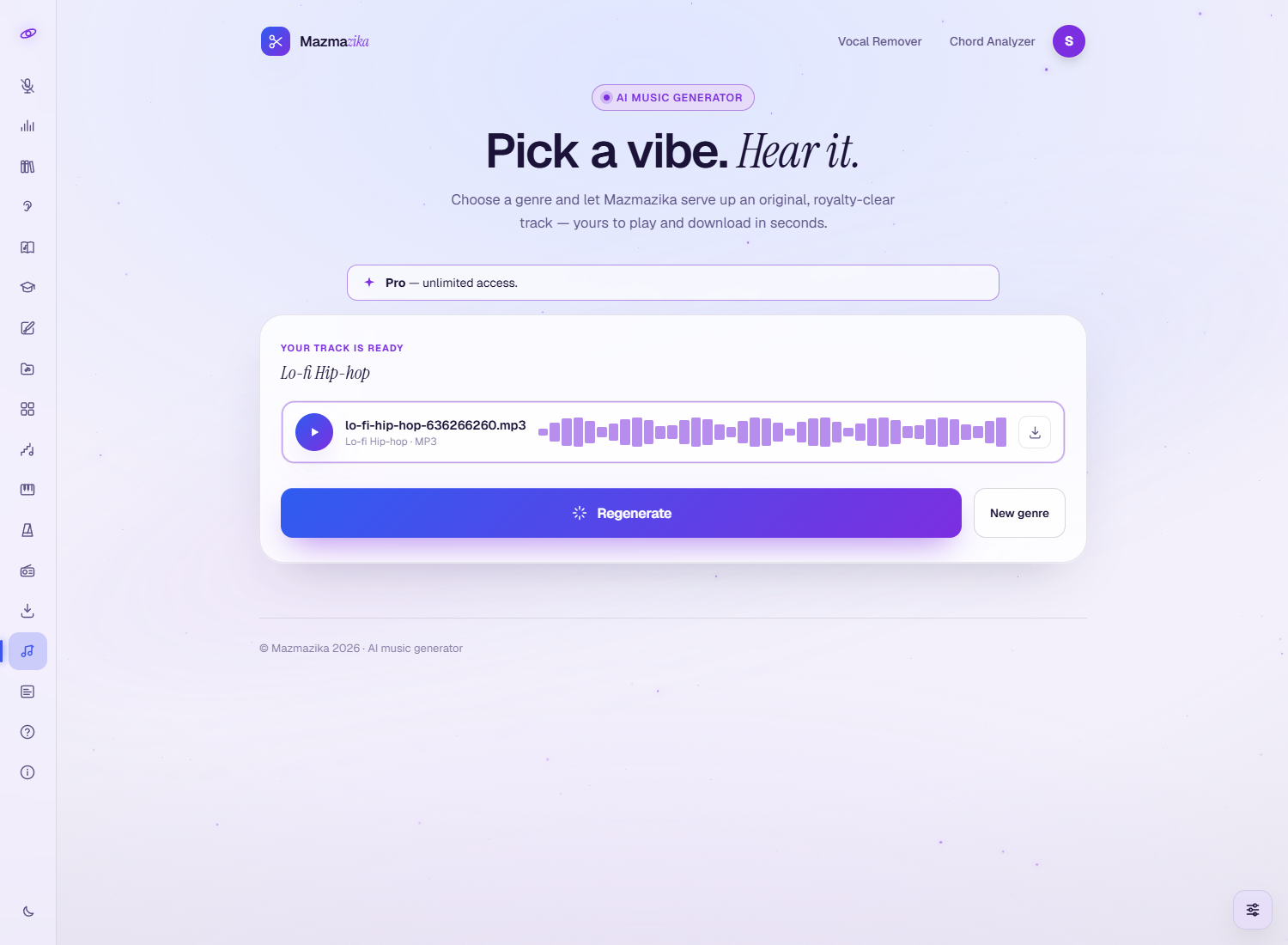
- Play — listen to your track right in the page.
- Download — save it as an MP3.
- Regenerate — get a fresh, different track in the same style.
- New genre — go back and pick a different genre or mood.
My Files — your generated tracks
When you're logged in, each track you generate is saved under the My Files tab, so you can play or re-download it later, or delete the ones you don't need.
Genres & moods
Choose by genre for a particular style, or by mood when you care more about the feeling than the genre:
| Category | Choices |
|---|---|
| Electronic | EDM, Deep House, Techno, Trap, Dark Trap, Synthwave |
| Hip-hop | Hip-hop, Lo-fi Hip-hop, Boom Bap, Chillhop |
| Bands & acoustic | Classic Rock, Jazz, Ambient |
| World | Latin, Afrobeats, Arabic, Turkish, Indian |
| Cinematic | Cinematic Score, Epic / Heroic, Suspense / Tension, Dark / Mysterious |
| Moods | Happy / Uplifting, Hopeful / Inspiring, Calm / Relaxing, Dreamy / Surreal, Energetic / Hype, Emotional / Sad |
Tips
- Not quite right? Hit Regenerate. Each generation is a fresh take, so try a few until one fits.
- Pick by feeling. If you're scoring a video or podcast, the mood options (Calm, Energetic, Emotional…) are often a faster way in than the genre.
- It's royalty-free. Use your generated tracks in your own projects without worrying about licensing.
- Save the keepers. Your generations stay in My Files so you can come back to them.
Troubleshooting
- "Please log in." You need an account to generate — sign in and try again.
- Asked to upgrade? The Music Generator is a Pro feature; subscribe to use it.
- No sound? Click anywhere on the page once (browsers only start audio after you interact), then check your device volume.
- Want a different result? Use Regenerate for another take in the same style, or pick a new genre or mood.
Related tools
Build your own beat from scratch in the Beat Maker, split a song into stems with the Vocal Remover, or download audio from a link with the MP3 Downloader.