Music Radios — User Manual
What is Music Radios?
Mazmazika's Music Radios lets you stream thousands of live radio stations from around the world, right in your browser. Filter by genre and country, search by name, and press play to listen instantly — no account, no app, nothing to install.
Browsing & finding a station
Open Music Radios from the sidebar. The filters live in the panel on the left and the stations appear as cards on the right, with a count of how many match your filters.
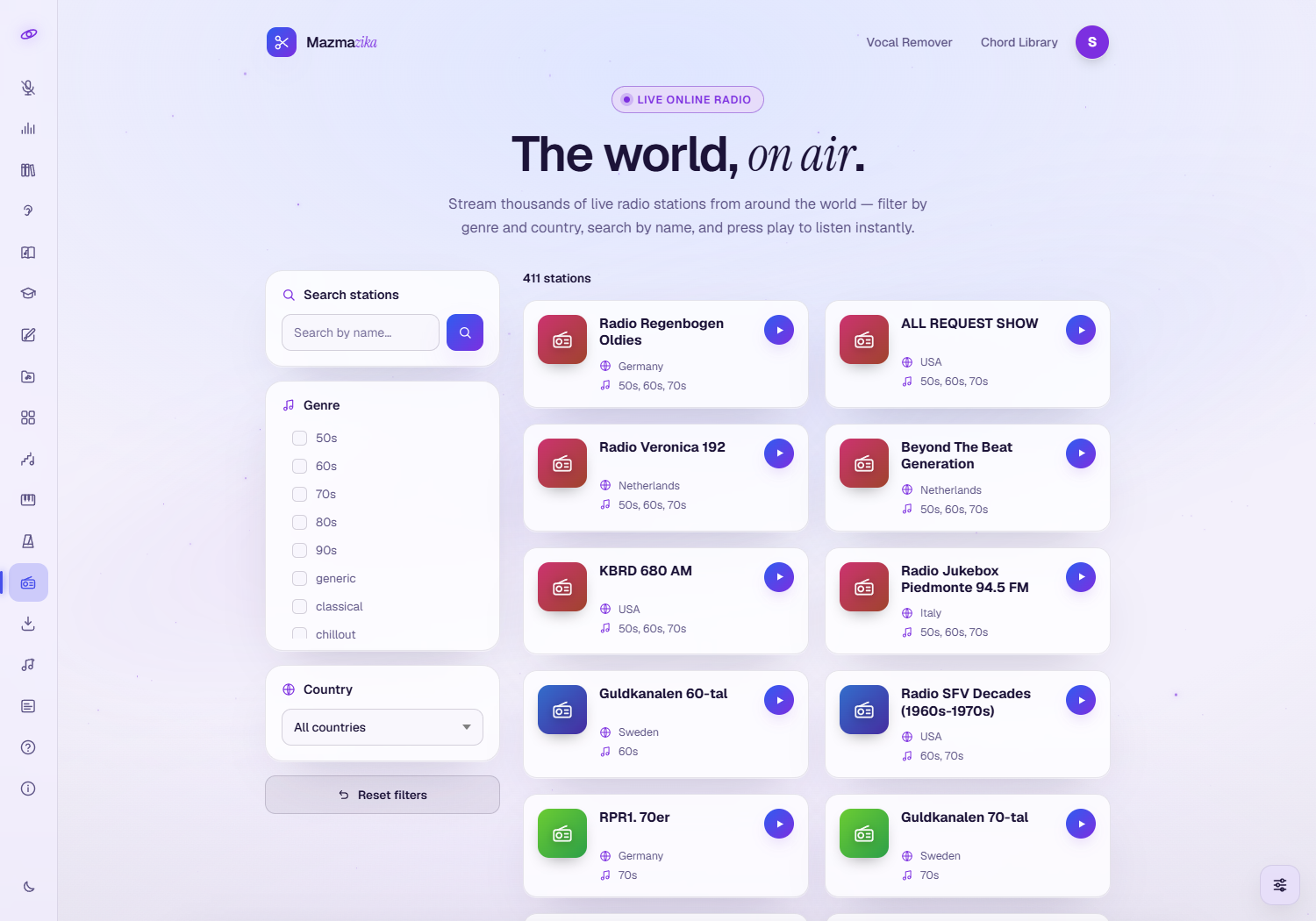
- Search stations — type part of a station's name to filter the list.
- Genre — tick one or more genres (50s–90s, classical, chillout, pop, rock, hip-hop, rap and many more).
- Country — pick a country from the dropdown, or leave it on All countries.
- Reset filters — clear everything and start over.
- Station cards — each shows the station's name, location and genre. Use the page numbers at the bottom to move through the results.
Listening
Click the play button on any station card and it starts streaming. A Now Playing bar appears at the bottom of the page and stays there while you keep browsing — so you can keep looking through stations without stopping the music.

From the Now Playing bar you can:
- Pause / play the current station.
- Stop to clear it.
- Adjust the volume.
To switch stations, just press play on a different card.
Tips
- Combine filters — pick a genre and a country to quickly narrow thousands of stations down to a handful.
- Keep browsing while you listen — the player keeps going as you search and change pages.
- Discover by decade — the 50s–90s genres are a fun way to find oldies and retro stations.
Troubleshooting
- No sound? Click anywhere on the page first (browsers only start audio after you interact), then check the volume slider and your device volume.
- A station won't play? Live stations occasionally go offline or change their stream — try another station, or come back later.
- Playback stops when I navigate away. The radio plays on this page; leaving it (or closing the tab) stops the stream.
Related tools
Want to work with a specific track instead? Pull a song's stems with the Vocal Remover, find its chords with the Chord Analyzer, or download audio with the MP3 Downloader.